production
/viewbook/list/all/?page=152
/
/static/
None

Acceptance: A Legendary Guidance Counselor Helps Seven Kids Find...
Authors:
David L. Marcus
Publisher:
Penguin Press HC, The
Publication Date:
Not available
ISBN:
1594202141
An engrossing profile of an extraordinary guidance counselor who helps kids get into the right colleges through focusing on self- awareness Gwyeth... Smith, known as Smitty, is a nationally renowned guidance counselor who believes that getting into college should be a kid's first great moment of self-discovery. In Acceptance, David L. Marcus, Pulitzer Prize-winning former education writer for U.S. News & World Report, spins an absorbing narrative of a year in the lives of Smitty and "his" kids. At a diverse public school in Long Island, New York, Smitty works his unique magic on students' applications and their lives, helping them find the right college by figuring out who they are, rather than focusing on what their test scores, grades, and finances reflect. Loaded with advice that readers can apply to their own college searches, Acceptance is a book that thousands of students and their parents will find indispensable.

Acceptance and Change in Couple Therapy: A Therapist's Guide to...
Authors:
Andrew Christensen
Publisher:
W. W. Norton & Company
Publication Date:
Not available
ISBN:
0393702901

Acceptance and Commitment Therapy, Second Edition: The Process and...
Authors:
Steven C. Hayes PhD
Publisher:
The Guilford Press
Publication Date:
Not available
ISBN:
1609189620
Since the original publication of this seminal work, acceptance and commitment therapy (ACT) has come into its own as a widely practiced approach to... helping people change. This book provides the definitive statement of ACT—from conceptual and empirical foundations to clinical techniques—written by its originators. ACT is based on the idea that psychological rigidity is a root cause of a wide range of clinical problems. The authors describe effective, innovative ways to cultivate psychological flexibility by detecting and targeting six key processes: defusion, acceptance, attention to the present moment, self-awareness, values, and committed action. Sample therapeutic exercises and patient–therapist dialogues are integrated throughout. New to This Edition *Reflects tremendous advances in ACT clinical applications, theory building, and research. *Psychological flexibility is now the central organizing focus. *Expanded coverage of mindfulness, the therapeutic relationship, relational learning, and case formulation. *Restructured to be more clinician friendly and accessible; focuses on the moment-by-moment process of therapy.

Accepting Authoritarianism: State-Society Relations in China's...
Authors:
Teresa Wright
Publisher:
Stanford University Press
Publication Date:
Not available
ISBN:
0804769044
Why hasn't the emergence of capitalism led China's citizenry to press for liberal democratic change? This book argues that China's combination of... state-led development, late industrialization, and socialist legacies have affected popular perceptions of socioeconomic mobility, economic dependence on the state, and political options, giving citizens incentives to perpetuate the political status quo and disincentives to embrace liberal democratic change.Wright addresses the ways in which China's political and economic development shares broader features of state-led late industrialization and post-socialist transformation with countries as diverse as Mexico, India, Tunisia, Indonesia, South Korea, Brazil, Russia, and Vietnam.With its detailed analysis of China's major socioeconomic groups (private entrepreneurs, state sector workers, private sector workers, professionals and students, and farmers), Accepting Authoritarianism is an up-to-date, comprehensive, and coherent text on the evolution of state-society relations in reform-era China.

Accepting Your Power to Heal: The Personal Practice of Therapeutic...
Authors:
Dolores Krieger Ph.D. R.N.
Publisher:
Bear & Company
Publication Date:
Not available
ISBN:
1879181045
Since 1972, Dolores Krieger has taught Therapeutic Touch to thousands of health professionals around the world. In Accepting Your Power to Heal, she now... shows all of us how to master this powerful energetic healing practice. Krieger points out that while this is not a "miracle cure," Therapeutic Touch has proven to be safe and helpful in the treatment of a variety of conditions from PMS, headaches, burns, and bone fractures to asthma, reproductive problems, cancer, and AIDS. She encourages us to acknowledge our own innate healing abilities and provides experiential exercises to teach us the basic Therapeutic Touch techniques. The miracle, if there is one, is that we can all participate in the healing process and help our friends, partners, families, and even pets to feel better.

ACCESS
Authors:
Not Available
Publisher:
Not available
Publication Date:
Not available
ISBN:
Not available
Access 2007 Bible
Authors:
Michael R. Groh
Publisher:
Wiley
Publication Date:
Not available
ISBN:
0470046732
"I recommend this book for anyone who wants a strong foundation in Access."—Jeff Lenamon, CIBC World MarketsUpdated edition with exciting new Access... 2007 features!Harness the power of Access 2007 with the expert guidance in this comprehensive reference. Beginners will appreciate the thorough attention to database fundamentals and terminology. Experienced users can jump right into Access 2007 enhancements like the all-new user interface and wider use of XML and Web services. Each of the book's six parts thoroughly focuses on key elements in a logical sequence, so you have what you need, when you need it. Designed as both a reference and a tutorial, Access 2007 Bible is a powerful tool for developers needing to make the most of the new features in Access 2007.Build Access tables using good relational database techniquesConstruct efficient databases using a five-step design methodDesign efficient data-entry and data display formsUtilize the improved Access report designerUse Visual Basic(r) for Applications and the VBA Editor to automate applicationsBuild and customize Access 2007 ribbonsSeamlessly exchange Access data with SharePoint(r)Employ advanced techniques such as the Windows(r) API and object-oriented programmingAdd security and use data replication in your Access applicationsWhat's on the CD-ROM?Follow the examples in the book chapter by chapter using the bonus materials on the CD-ROM. You'll find separate Microsoft Access database files for each chapter and other working files, includingAll the examples and databases used in the book, including database files, images, data files in various formats, and icon files used in the book's examplesA complete sample application file, including queries, reports, objects, and modules, that you can use as a referenceSee the CD-ROM appendix for details and complete system requirements.Note: CD-ROM/DVD and other supplementary materials are not included as part of eBook file.

Access 2007 Guidebook (6th Edition)
Authors:
Maggie Trigg
Publisher:
Addison-Wesley
Publication Date:
Not available
ISBN:
0321517016
By encouraging skill building and concept application, Access™ 2007 Guidebook, Sixth Edition, provides basic database principles students need... to use Access™ 2007 effectively in real-world situations. Access and Data Basics; Creating a Database; Using a Table; Queries; Forms; Reports; Database Design and Maintenance; Advanced Queries and SQL; Custom Forms; Custom Reports; Macros; Building a Database Application. For all readers interested in Access™ 2007.
Access 2010 24-Hour Trainer (Wrox Programmer to Programmer)
Authors:
Geoffrey L. Griffith
Publisher:
Wrox
Publication Date:
Not available
ISBN:
0470591676
This book-and-video package is the perfect introduction to Access 2010Microsoft Access is the most popular database system in the world, and this guide... shows you how to build Access database applications using Microsoft Access 2010. Beginners to intermediate-level readers are exposed to the basics of building and working with the major Access 2010 features. Over 60 lessons are included in this book-and-DVD combo, which provides step-by-step examples that show exactly how you can implement each feature in a real-world Access database application. The accompanying DVD provides clear, easy-to-follow videos of the authors demonstrating the examples in each lesson, as well as extra commentary, so that no reader is left behind!Microsoft Access 2010 24-Hour Trainer:Shows you how to build database applications from scratch and from existing database templatesWalks you through major components including the Navigation Pane, the Ribbon, and the many database object designersTeaches the basics of building and working with each of the major Access database object types: tables, queries, forms, reports, macros, and VBA code modulesIntroduces exciting new Access 2010 features like the Access 2010 Macro Designer, Data Macros, and the Ribbon Options dialogExplains how to customize the Access BackstageDetails basic VBA code writing and explains how and when to use itWrox guides are crafted to make learning programming languages and technologies easier than you think. Written by programmers for programmers, they provide a structured, tutorial format that will guide you through all the techniques involved.On the DVD - Don't just learn--do!The lessons within the book are each accompanied by an instructional demonstration on the DVD--nearly 5 hours of video tutorials!You'll learn to:Install Microsoft Access 2010 and begin using the program from within WindowsCreate Microsoft Access database applications from template or from scratch Work with Access 2010 database objectsUse and Customize the Access 2010 RibbonCreate Access tables, queries, forms, reports, macros and modulesModify Access 2010 tables and fieldsEmbed Access 2010 macros and VBA code in reportsBuild database queries using the Access 2010 wizardsCustomize the Access 2010 Navigation Pane and RibbonWork with Microsoft Access 2010 securityPlease see the DVD appendix for details and complete system requirements.Even if you have no experience with Access 2010, this guide will have you building robust Access applications with the best of them! If you want to get quickly up to speed on Access 2010, Access 2010 24-Hour Trainer is the perfect place to start.
Access 2010 Bible
Authors:
Michael R. Groh
Publisher:
Wiley
Publication Date:
Not available
ISBN:
047047534X
The expert guidance you need to get the most out of Access 2010Get the Access 2010 information you need to succeed with this comprehensive reference. If... this is your first encounter with Access, you'll appreciate the thorough attention to database fundamentals and terminology. If you're familiar with earlier versions, you can jump right into Access 2010 enhancements such as the new Access user interface and wider use of XML and Web services.Takes you under the hood of Microsoft Access 2010, the database application included with Microsoft Office 2010Explores the latest enhancements, such as a new user interface and wider use of XML and Web services; also, how to exchange data with Word, Excel, PowerPoint, and other Office appsCovers how to create tables, manipulate datasheets, and work with multiple tablesExplains the seven database objects and how to use a seven-step design method to build a database tailored to your needsShows you how to build forms, use Visual Basic and the VBA Editor, automate query parameters, create functions and subroutines, use XML to create data access pages, and moreIncludes a CD with all source code from the book and working examples, plus bonus shareware, freeware, trial, demo and evaluation programs that work with or enhance Microsoft OfficeYou’ll want to keep this soup-to-nuts Access reference close at hand!Note: CD-ROM/DVD and other supplementary materials are not included as part of eBook file.
ACCESS 2010 COMP.EXPL.SRS,W/IT LAB ACC.
Authors:
Not Available
Publisher:
Not available
Publication Date:
Not available
ISBN:
Not available
ACCESS 2010 + EXCEL 2010 COMP.(BUNDLE)
Authors:
Not Available
Publisher:
Not available
Publication Date:
Not available
ISBN:
Not available

Access 2010 For Dummies (For Dummies (Computer/Tech))
Authors:
Laurie Ulrich Fuller
Publisher:
For Dummies
Publication Date:
Not available
ISBN:
0470497475
A friendly, step-by-step guide to the Microsoft Office database applicationAccess may be the least understood and most challenging application in the... Microsoft Office suite. This guide is designed to help anyone who lacks experience in creating and managing a database learn to use Access 2010 quickly and easily.In the classic For Dummies tradition, the book provides an education in Access, the interface, and the architecture of a database. It explains the process of building a database, linking information, sharing data, generating reports, and much more.As the Microsoft Office database application, Access may be the least understood and most challenging part of the Office suiteAccess 2010 For Dummies walks newcomers through building and using their first databaseCovers linking information in a database, setting relationships, modeling data, and building tablesExplores how to extract data from Access and get specific answers, create forms, and export data in reportsA section for more experienced users looks at analyzing errors and creating an interfaceFully updated for the newest version, Access 2010 For Dummies gets new Access users up to speed and helps veterans get the most from the Office database application.
Access 2010 (Quickstudy: Computer)
Authors:
Inc. BarCharts
Publisher:
QuickStudy
Publication Date:
Not available
ISBN:
1423214145
Because Access 2010 has many more features than Access 2007 or XP, our 3-panel (6-page) guide will be a handy resource for beginning, intermediate or... advanced end-users of the software. Jam-packed with information and helpful, time-saving hints, this guide features easy-to-read tables, screen captures and icons that are sure to make it an ideal next-to-the-monitor reference. Topics covered include: · Main Window · New Features · Getting Help · Access 2010 Terminology · Data Access & Manipulation · Creating Tables & Queries · New User Interface (UI) · And more!
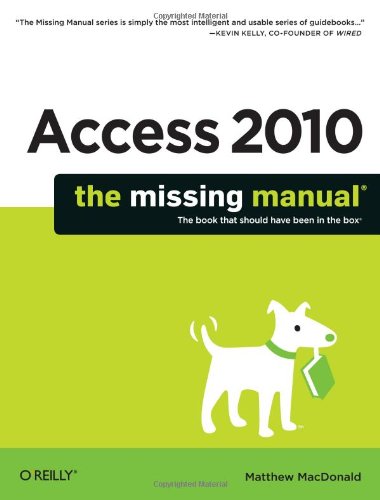
Access 2010: The Missing Manual
Authors:
Matthew MacDonald
Publisher:
Pogue Press
Publication Date:
Not available
ISBN:
1449382371
Go from Access novice to true master with the professional database design tips and crystal-clear explanations in this book. You'll learn all the... secrets of this powerful database program so you can use your data in creative ways -- from creating product catalogs and publishing information online to producing invoices and reports. Build a database with ease. Store information to track numbers, products, documents, and more Customize the interface. Build your own forms to make data entry a snap Find what you need fast. Search, sort, and summarize huge amounts of information Put your data to use. Turn raw info into printed reports with attractive formatting Share your data. Collaborate online with SharePoint and the brand-new Access web database Dive into Access programming. Get tricks and techniques to automate common tasks Create rich data connections. Build dynamic links with SQL Server, SharePoint, and other systems Five Touchstones to Understanding Access Let’s face it--learning the tricks and techniques of database design can be a bit of a slog. But if you’re just starting out with Access, here are five key insights that can help you understand how the database world works. Keep these points in mind, and you’ll be on the inside track to mastering Access. 1. Databases hold database objects. Most people are familiar with tables, the grid-like grouping of data that stores your information (for example, lists of items you own, friends you have, or products you sell through your small business). But tables are just one type of object that an Access database can hold. The other key ingredients are queries (customized search routines that pull out the information you need at the drop of a hat), reports (similar to queries, but nicely formatted and ready for printing), forms (windows that make it easy to review and edit the data in your tables), and macros and modules (miniature programs that can do just about anything—from updating 10,000 records at once to firing off an email). 2. Relationships hold it all together. Access newbies sometimes start out thinking a database is just a glorified spreadsheet. After all, can’t Excel hold long lists with hundreds of thousands of rows? (And yes, it can.) However, Access has a feature Excel can’t duplicate: relationships. A typical Access database holds several tables, and relationships link these tables together. For example, a table of customers might link to a table of orders, which would link to a table of products, allowing you to answer questions like “What customers spent the most money?” and “What is the most popular product for customers living in New York?” Relationships also safeguard your data--for example, they make it impossible for someone to accidentally place an order for a product or a customer that doesn’t exist. 3. There are two ways to work with a database: as a designer and as a user. The database designer is the person who sets up the database. The database designer has the responsibility of laying out the tables, building the queries, and knocking together some nice reports and forms (assuming you want all those features). By comparison, the database user is the person who uses the tables, queries, reports, and forms in day-to-day life. The user reviews records, makes changes, and fills the tables up with data. Depending on what type of database you’re creating (and what you want to accomplish), you may be both the database designer and the database user. But it’s important to realize that these are distinct tasks. In fact, when using a properly designed database, database users don’t need to be particularly skilled with Access. They can just work with the forms and reports that the database designer created. 4. Sooner or later, you’ll need macros. To become an Access expert, you must first learn to design a logical, consistent set of tables and add the relationships that link them together. Next, you must learn to build the other types of objects--queries, forms, and reports--that make it easier to perform common tasks. At some point, while tackling this second stage, you’ll run into a challenge that forces you to step up to the third level of Access mastery: macros. Macros are miniature programs that perform custom tasks. The good news is that in Access 2010, you can design your own macros without becoming a programmer. You just need to drag, drop, and arrange a sequence of ready-made macro commands into the Access macro designer. For example, you can use macros to build buttons that send emails, start printouts, make updates, or just take you around your database. 5. Expert user, meet Visual Basic. Some people stop their Access journey at this point, content to use tables, forms, reports, and macros to do all their work. But if you want to see everything Access has to offer, you need to take a look at its high-powered Visual Basic engine. Using VB code, you can do almost anything, from validating a credit card to leading a customer through an order process (two examples that are discussed in Access 2010: The Missing Manual). And if you’re willing to pick up some basic programming concepts, you can use code to transform a simple database into a cohesive database application—for example, something that looks more like the traditional desktop programs you run on your computer.
 '
'